- The cutoff analyzer covers Maharashtra, Karnataka, and All India Quota with closing rank data from 2023 to 2025
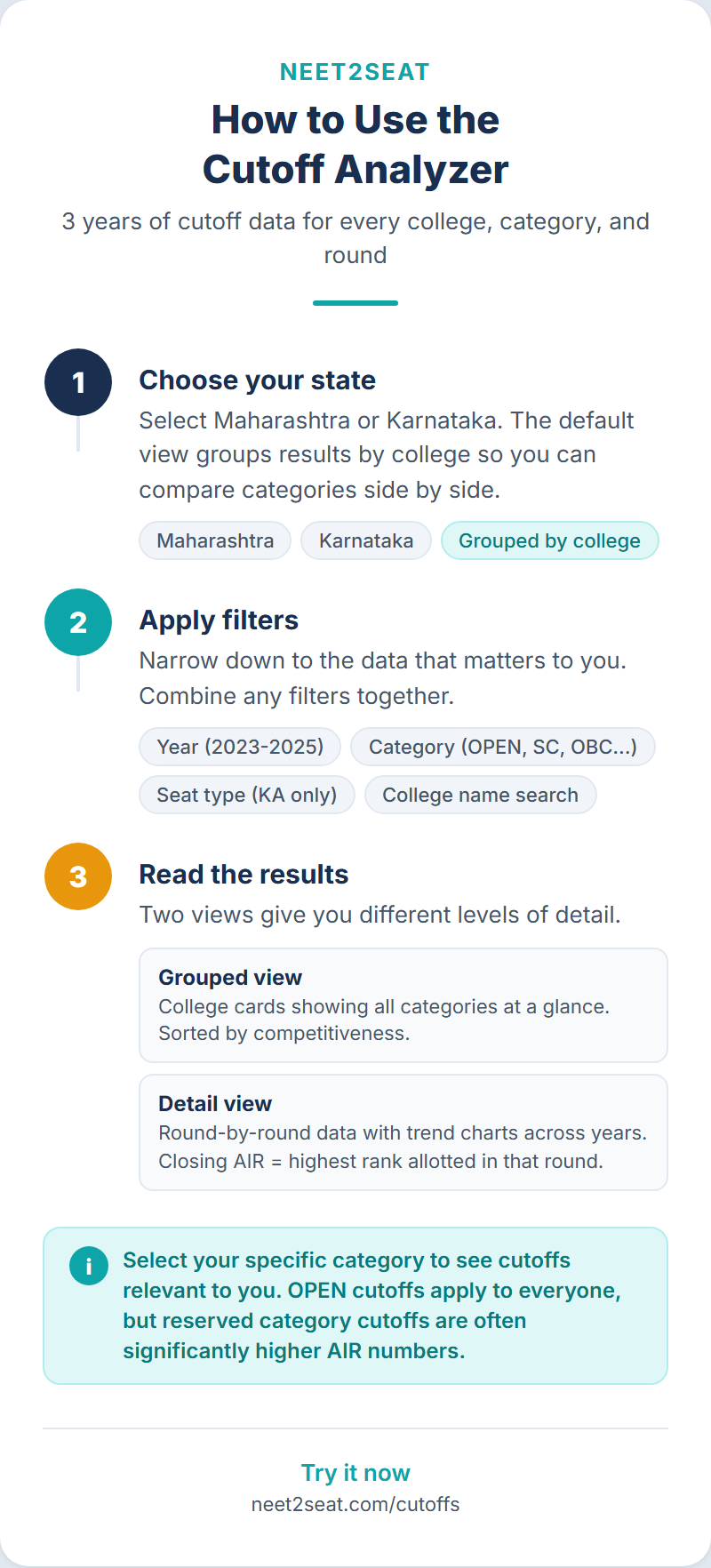
- Five filters (state, search, year, category, seat type) let you narrow results to specific colleges and categories
- Selecting a category or seat type switches from a grouped college list to detailed per-category cards with trend data
- College detail pages show closing rank trends across rounds and years as a line chart
What the cutoff analyzer shows you
The cutoff analyzer contains NEET cutoff data from three years of counselling: 2023, 2024, and 2025. It covers three counselling tracks: Maharashtra (CET Cell), Karnataka (KEA), and All India Quota (MCC). The data comes from official allotment PDFs published after each counselling round.
You can filter by college name, year, reservation category, and seat type. The analyzer has two views depending on your filters: a grouped list of colleges (the default) and a detailed per-category view with trend analysis. Each college has its own detail page with a line chart showing how closing ranks changed across rounds and years.
Choosing your state
Start at neet2seat.com/cutoffs. Three cards link to state-specific analyzers: Maharashtra, Karnataka, and All India Quota. Click any card to load that state’s data.
Once inside a state analyzer, a toggle at the top of the filter panel lets you switch between states without going back to the hub page. The current state is highlighted.
The five filters
A filter panel on the left side of the page has five controls:
State toggle: Three buttons for Maharashtra, Karnataka, and All India Quota. Your current selection is highlighted. Clicking another state loads its data.
College search: A text box that searches college names as you type. Type the full name or a partial match and wait for the results to load.
Year: A dropdown defaulting to “All Years.” Options are 2023, 2024, and 2025. Selecting a single year filters results to show closing ranks from that year only.
Category: A dropdown defaulting to “All Categories.” Lists every reservation category available in the selected state. For Maharashtra, this includes OPEN, SC, ST, VJ, NT-B, NT-C, NT-D, OBC, SEBC, EWS, and their variants. For Karnataka, it includes GM, 1G, 2AG, 2BG, 3AG, 3BG, SCG, STG, and suffix variants (K, R, H, KH, RH). Selecting a category switches from grouped view to detailed view.
Seat type: A dropdown defaulting to “All Seat Types.” Options depend on the state (e.g., AID, MANUAL ROUND, AUTONOMOUS for Maharashtra). Selecting a seat type also switches to detailed view.
Start with “All Categories” to browse colleges in grouped view. Once you find colleges you are interested in, select your specific category to see per-category closing ranks and trend data.
Grouped view: the default
When no category and no seat type are selected, the analyzer shows a grouped college list. Each row represents one college and displays:
- College name
- Number of categories with cutoff data at that college
- The full rank range across all categories and years (e.g., “Rank 450 to 85,000”)
- Number of years of data available (1, 2, or 3)
- A state badge (MH, KA, or AIQ)
Colleges are sorted by mean cutoff rank by default, with the most competitive colleges (lowest mean rank) at the top. Click any college row to go to its detail page.
Without a free account, only the first 5 colleges are visible. Remaining results appear blurred. Signing up (free, no payment required) gives you the full list with pagination.
Detailed view: when you select a category or seat type
Selecting a category from the dropdown (or a seat type) changes the display from grouped colleges to individual result cards. Each card shows one college-category combination:
- College name, state badge, and seat type badge
- Category badge and trend indicator (Improving, Declining, or Stable)
- Mean cutoff: the average closing rank across all available rounds and years
- Range: the lowest and highest closing ranks recorded
- Latest round: the most recent year and round with its closing rank
- Number of years of data available
Cards appear in a two-column grid on desktop and one column on mobile. Click any card to go to that college’s detail page, pre-filtered to the selected category.
You are an SC candidate in Maharashtra. Select “SC” from the category dropdown. The page switches to detailed view showing cards for every college with SC allotment data. Each card shows the mean closing rank, the best and worst ranks recorded, the trend direction, and the latest round’s rank. You can compare SC cutoffs across colleges at a glance.
College detail pages
Each college has a dedicated page accessible by clicking its name in any view. The page has four sections.
Category selector
A horizontal row of buttons, one per category with data at this college. Click a button to switch the page to that category’s data. For a Maharashtra government college, you might see buttons for OPEN, SC, ST, VJ, NT-B, NT-C, NT-D, OBC, SEBC, EWS, DEF, and their seat-type variants.
Trend chart
A line chart plots closing ranks across counselling rounds (R1, R2, R3, MOP on the x-axis) with one line per year. The y-axis shows closing rank with lower ranks (more competitive) at the top. Year colors: 2023 in gray, 2024 in blue, 2025 in teal. Hover over any data point to see the exact rank.
The chart makes it easy to see whether cutoffs at a college are tightening (lines shifting upward year over year, indicating lower closing ranks) or easing (lines shifting downward).
At most top government colleges in both Maharashtra and Karnataka, the 2025 line sits above the 2023 line on the chart (lower closing rank, meaning tighter competition). This pattern has held consistently across three years of data.
Statistics cards
Four cards below the chart show: Mean Cutoff (average closing rank), Min (the most competitive rank recorded), Max (the least competitive rank recorded), and Trend (Improving, Declining, or Stable, based on slope analysis of the data across years).
Round-by-round data
Below the statistics, each round is shown as a separate entry with the year, round name, and closing rank. Entries are sorted with the newest data first. Ranks appear in Indian numbering format (e.g., 1,23,456 instead of 123,456).
To compare your AIR against a college: go to the college detail page, select your category, and check the latest round’s closing rank. If your AIR is lower (better) than the closing rank in 2025, you would have been allotted that seat last year under the same conditions.
Category pages
Below the state heading on each state analyzer page, a row of links leads to category-specific pages. Clicking “OPEN” on the Maharashtra page, for instance, takes you to a page showing all Maharashtra colleges sorted by their OPEN category cutoffs.
Each category page includes:
- A stats bar showing total colleges, best rank, highest rank, and year range
- A collapsible definition explaining what the category means
- A sortable table of colleges with columns for average rank, best rank, highest rank, and trend
- Links to the same category in other states (e.g., from Maharashtra OPEN to Karnataka GM and AIQ OPEN)
These pages are useful when you want to compare cutoffs across all colleges within a single category without switching filters manually.
The quota suffix legend
Category codes often include suffixes that denote sub-quotas. Karnataka uses the most suffixes: G (general), K (Kannada medium), R (rural), H (Hyderabad-Karnataka), KH (Kannada medium + HK), RH (rural + HK). Maharashtra uses suffixes like -AI (All India Quota) and -PWD (persons with disability).
On each state analyzer page, a collapsible section titled “What do category suffixes mean?” lists every suffix code with its meaning. Expand it if you encounter a category code you do not recognize.
What requires a free account
The cutoff analyzer works for both anonymous and logged-in users, but some features require a free account:
Without an account: You see the first 5 results in any view, can access category pages, and can view college detail pages with 2025 data only. Trend charts appear blurred.
With a free account: Full results with pagination (20 per page), all three years of data on detail pages (2023, 2024, 2025), and full trend charts. There is no paid tier; the free account gives you full access.
FAQ
Where does the NEET cutoff data come from?
From official allotment PDFs published by the CET Cell (Maharashtra), KEA (Karnataka), and MCC (All India Quota) after each counselling round. We parse these PDFs and store every allotment record with college code, category, round, year, and closing rank. The database contains over 407,000 state counselling allotment records from Maharashtra and Karnataka, plus additional data from MCC All India Quota counselling.
How often is the NEET cutoff data updated?
After each counselling cycle ends. The current dataset covers 2023, 2024, and 2025. When 2026 counselling data becomes available, it will be added.
What is the difference between NEET cutoff marks and closing rank?
The cutoff analyzer shows closing All India Ranks (AIR), not marks. The NEET qualifying cutoff (minimum marks to be eligible for counselling) is set by NTA and applies uniformly. The closing rank at a specific college is the AIR of the last candidate allotted a seat there in a particular round. A closing rank of 15,000 means the candidate ranked 15,000th was the last one allotted; the corresponding marks depend on that year’s score distribution.
Why do some colleges show data for only one or two years?
New colleges or colleges that changed their counselling track may have data for fewer years. Some colleges also have very few allotments in certain categories, and the data reflects only rounds where at least one seat was filled in that category.
Can I compare NEET cutoffs across Maharashtra, Karnataka, and All India Quota?
Yes. Some colleges have seats in both state counselling and AIQ. Use the state toggle to switch between tracks, or visit the college detail page where cross-quota links appear if the college has data in multiple tracks. For a broader comparison of how AIQ and state quota counselling differ, see our AIQ vs state quota guide.
What should I do after checking cutoffs for my target colleges?
Use the college predictor to see which colleges you are likely to be allotted to based on your specific AIR and category. Then use the choice filler to build your preference list with those colleges in the right order.